 |
|
|
|
 |
“Creates macros & let's you "press" keys with a mouse [Key Manager].
Pros: Easily create & edit macros, remap formerly useless keys, and create user defined menus so you can trigger your macros with either a mouse click, a keypress, or a hot-key combination.
Cons: None, except the free version is limited to ten macros.
Summary: This program is great! It sends keystrokes allowing the creation of macros. The genius: it can create menus of your macros, and can trigger the macros with methods in addition to the usual hot-key combinations. For example:
A "long press" right mouse click brings up a user-customized menu that let's me select any key or hot-key combination with my mouse; great if your hands are limited by chronic disease, or if you just prefer using the mouse.
A never-used key on my keyboard is now programmed to create the multi-keypress ASCII bullet points I use frequently, a huge convenience!
Many other features are available, and the program is easy to learn. I use it many times daily. Worth every penny!” cnet.com, User reviews
|
|
|
|
|
|
|
|
Home > Key Manager
Screenshots
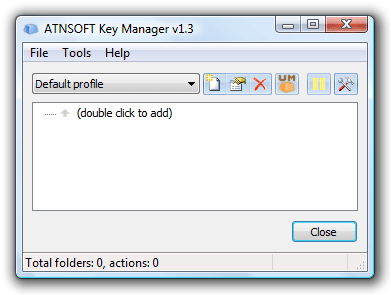
The main window of the program:
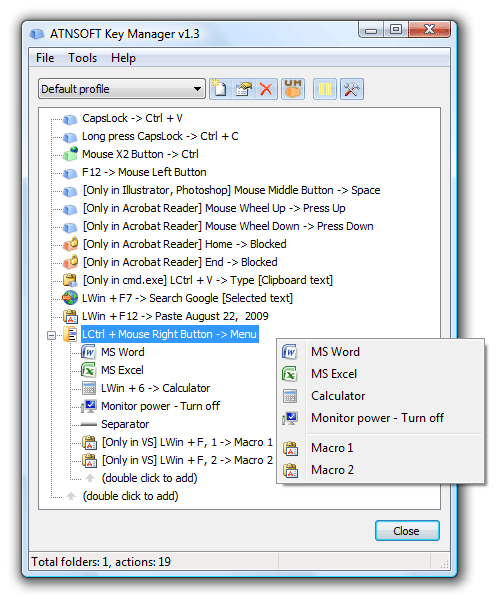
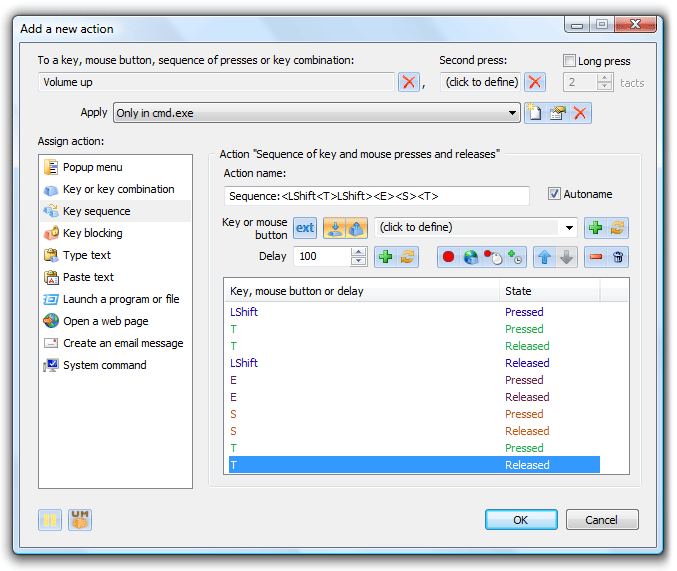
Creation of the "Key sequence (macro)" action:
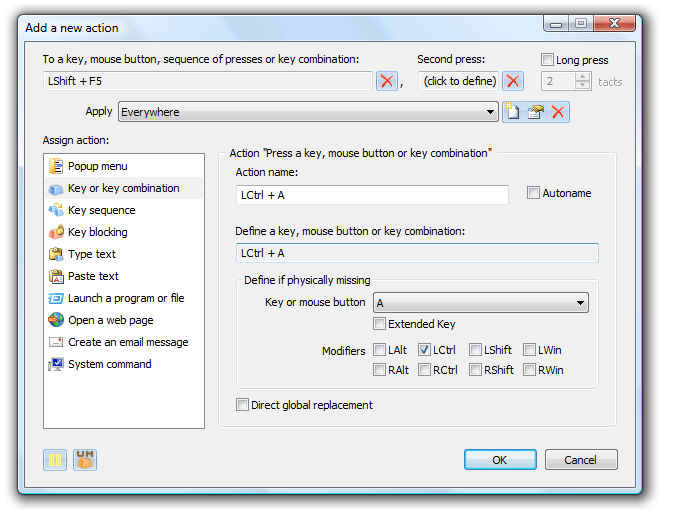
Creation of the "Replace the Shift+F5 combination by the Ctrl+A combination" action:
Creation of the "Popup menu/folder" action:
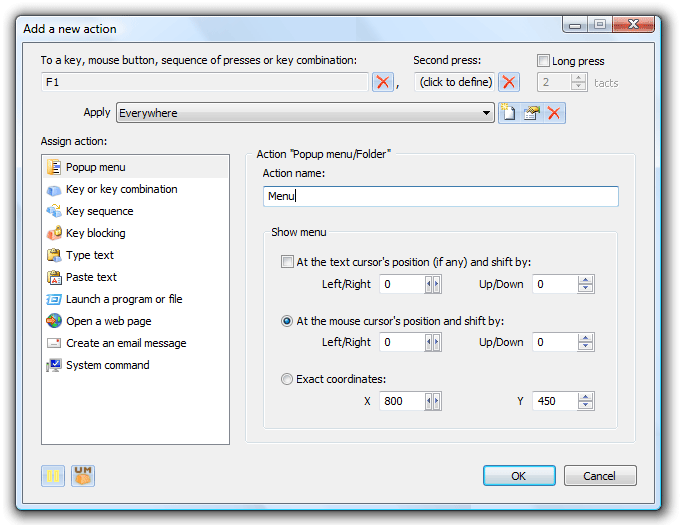
Creation of the "Paste text with the current date template" action:
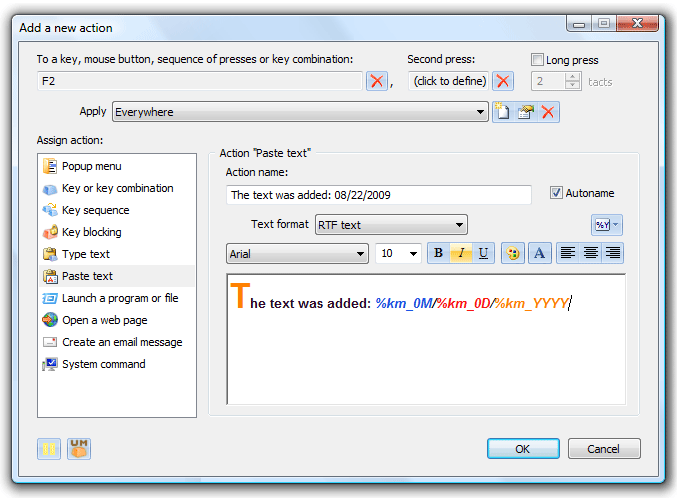
Creation of the "Launch MS Word" action:

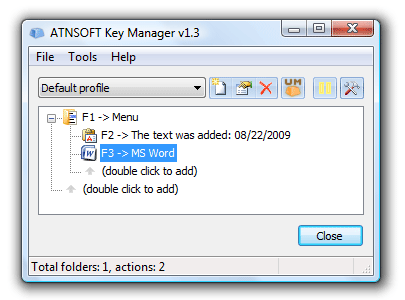
The main window after the creation of the above actions:
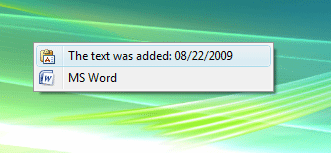
An example of the menu that appeared after the assigned F1 key was pressed:
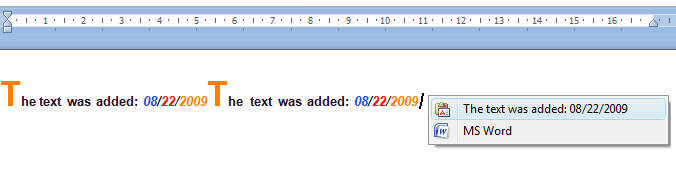
An example of pasting text into an MS Word document:
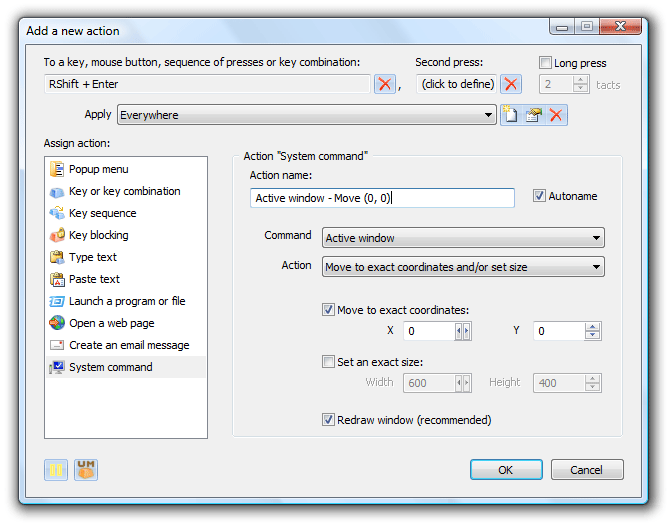
Creation of the "Move the active window" action:
Creation of the "Create e-mail" action:

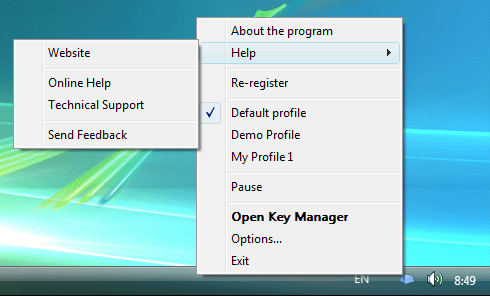
The menu of the taskbar icon:
|
|
|
|
|
|
